
What's new in Strybai — week of 28 September 2026
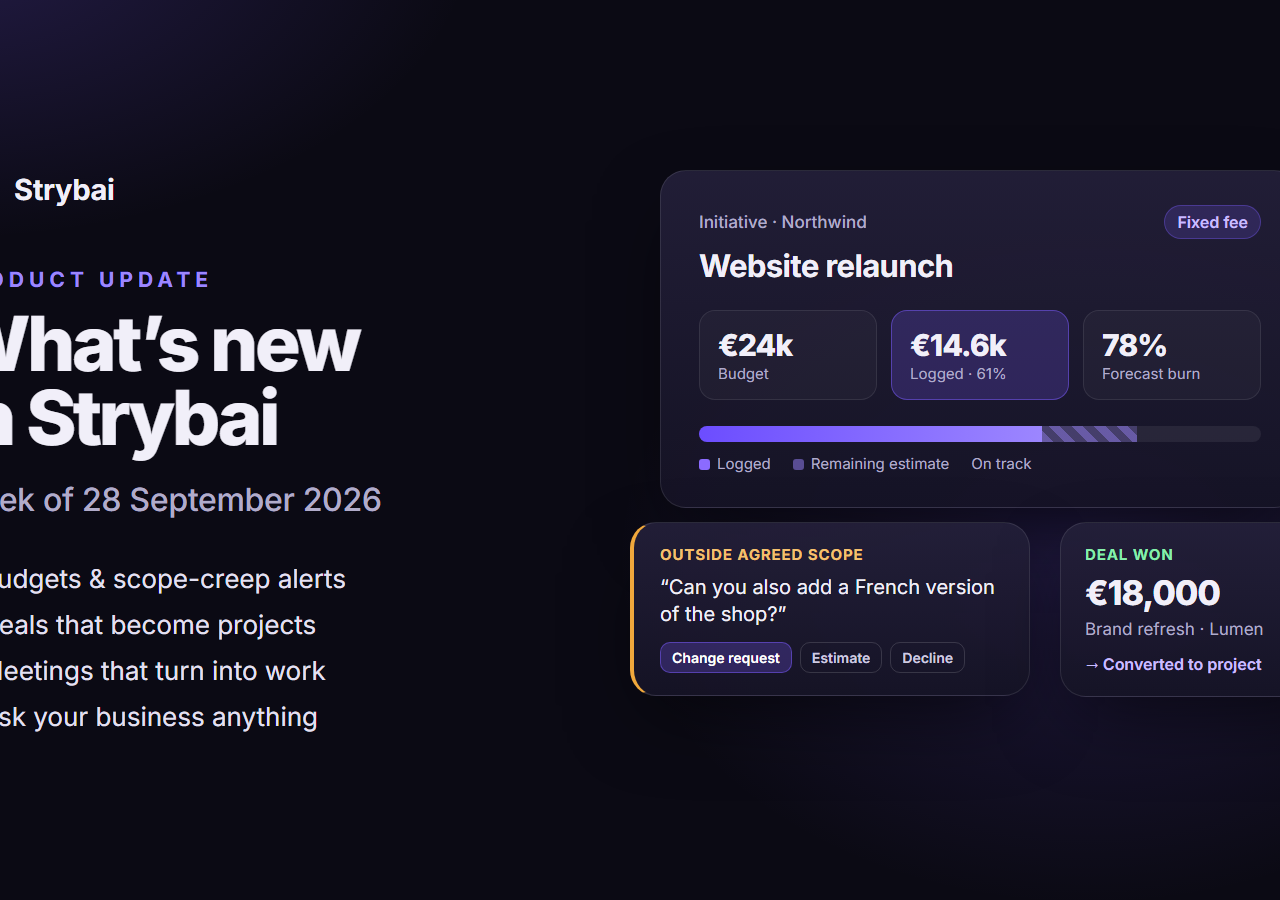
Strybai turns every customer conversation — emails, meetings, replies — into follow-ups and work your team actually does. This was our biggest week yet: Build now knows what every project is worth, Connect tracks your deals, and you can ask Strybai anything about your business.
This week at a glance
- Budgets, time tracking and budget burn in Build
- Scope-creep alerts and costed change requests
- A deals pipeline that turns won deals into projects
- Meeting transcripts that become tasks and promises
- Ask your business anything — with sources
Know what every project is worth
Give an initiative or project a budget — a fixed fee or hours × rate — right next to its effort estimate. Log time on tasks by hand or with a timer. Strybai compares estimate, logged time and budget, and flags work that is heading over before it gets there.
Catch scope creep before you say yes
Write down what's in and out of scope for each initiative. When a client asks for something outside it, or beyond the budget that's left, Strybai flags the email on the account and in your Inbox and drafts a reply for you:
- a change request, priced from your rate
- a quick estimate
- a friendly no
Approve a change request and it becomes its own budgeted project.
Deals that become the project
Track deals per account on a drag-and-drop pipeline with value, win chance, expected close date and a weighted forecast. When you win, one click turns the deal into Build work — its value becomes the budget and its description the agreed scope.
Meetings that turn into work
Import a transcript from Zoom, Google Meet, Teams or Fireflies, or simply type your notes. Strybai pulls out the summary, decisions, action items, owners and dates. You tick what to keep; it becomes an account activity, client promises and Build tasks.
Ask your business anything
A new question box on the Overview searches your whole workspace — accounts, conversations, promises, projects, budgets and deals — and answers with links to the records behind every claim. Try "Which promises are at risk this week?" or "Which projects are over budget?". It only uses what you're allowed to see, and tells you when it can't find something.
Delivery you can measure
Build now shows cycle time, weekly velocity and an on-time delivery rate you can trust, and flags work that is overdue, blocked, stalled or due soon. Plan with AI also adds what's missing to an existing plan instead of starting a new one.
Smarter outreach
- LinkedIn steps in sequences — view a profile, connect, message — as to-dos with the text drafted for you. Strybai never automates LinkedIn itself.
- Out-of-office replies pause a sequence instead of ending it, and Strybai suggests the colleague the auto-reply names.
- Each workspace chooses its own outreach languages.
Research in your language
Account summaries are now written in your workspace's language, whatever language the company's website uses. Bulk research runs much faster, and when a website blocks automated reading, Strybai tells you why — and doesn't use your AI credits.
Clearer on every screen
An AI credits meter shows what you've used today. Text meets accessibility contrast standards in both themes, wide screens use their full width, and phones got a careful pass across accounts, settings and billing.
Try it
Strybai is in private beta and free while it lasts. Request access at https://app.strybai.com/waitlist