
Key numbers: your workspace at a glance
3 November 2026
On the Overview, under Needs attention, Key numbers shows how your workspace is doing in one grid: the numbers Strybai works out for you, and the ones your team adds.
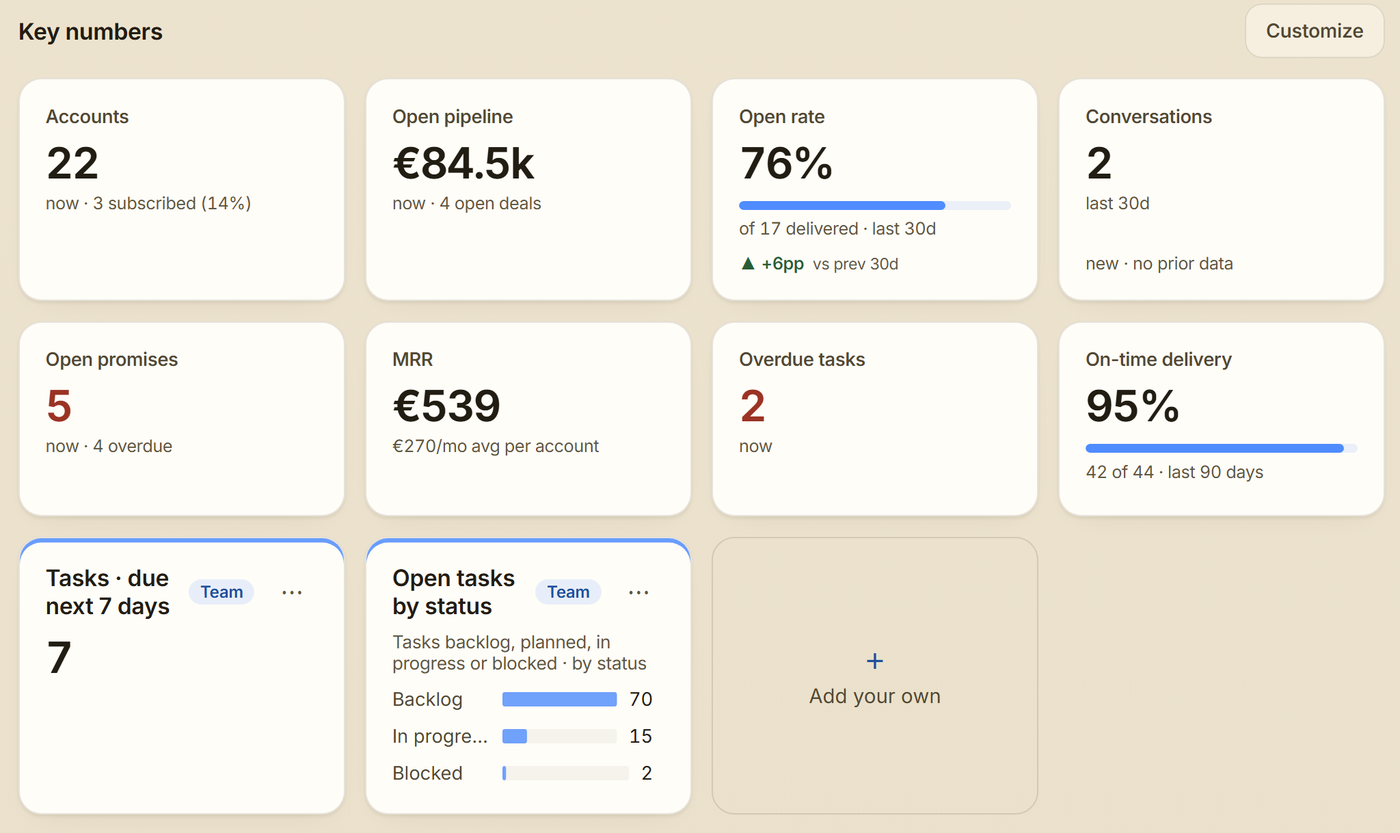
How to read them
- Strybai works them out from your own accounts, deals, outreach, promises, subscriptions and plan. There's nothing to set up.
- A number marked now is how things stand today, like Accounts or Overdue tasks.
- A number such as Open rate or Conversations covers a period. Switch between 7, 30 and 90 days at the top right of the Overview; every such number follows, with its change since the period before.
- Click a number to open the page behind it.
- Out of the box you see up to eight, only for what your workspace uses: no MRR before you have subscriptions, no delivery numbers before you plan in Build.
Choose them for your team (owners and admins)
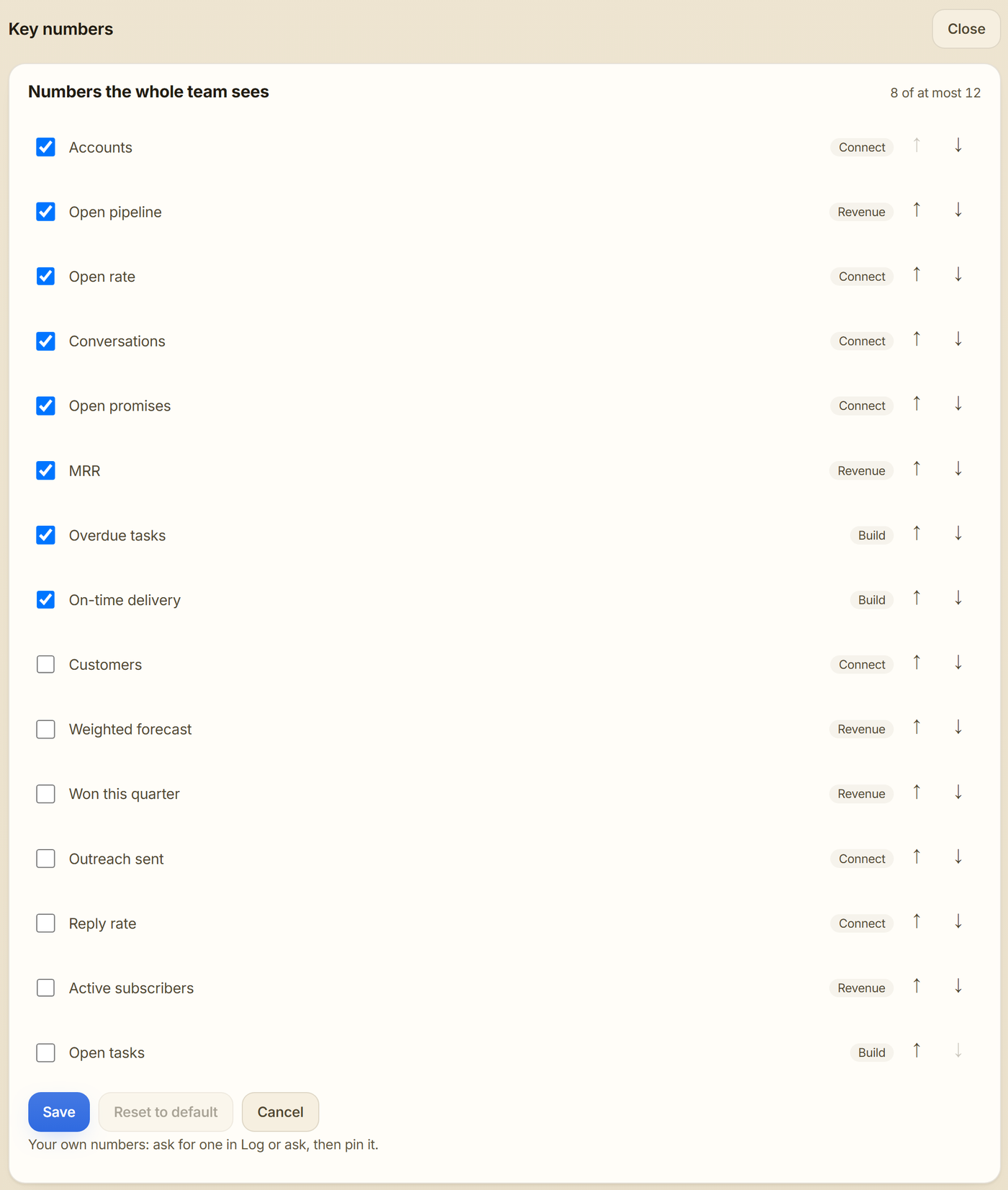
Click Customize, tick up to 12 numbers, put them in order with the arrows and click Save. Everyone in the workspace now sees the same set. Reset to default brings back Strybai's choice.
Add your own
Missing a number? Click Add your own, or ask in the Log or ask box, for example "How many tasks are due in the next 7 days?" Under the answer, click 📌 Pin this answer, give it a name and it joins the grid, recalculated every time you open the Overview.
- Pinned numbers are yours alone, unless an admin ticks Pin it for the whole team; team numbers carry a Team label.
- Use ⋯ on a pinned number to move, rename or remove it.