
What's new in Strybai — October 2026
4 November 2026
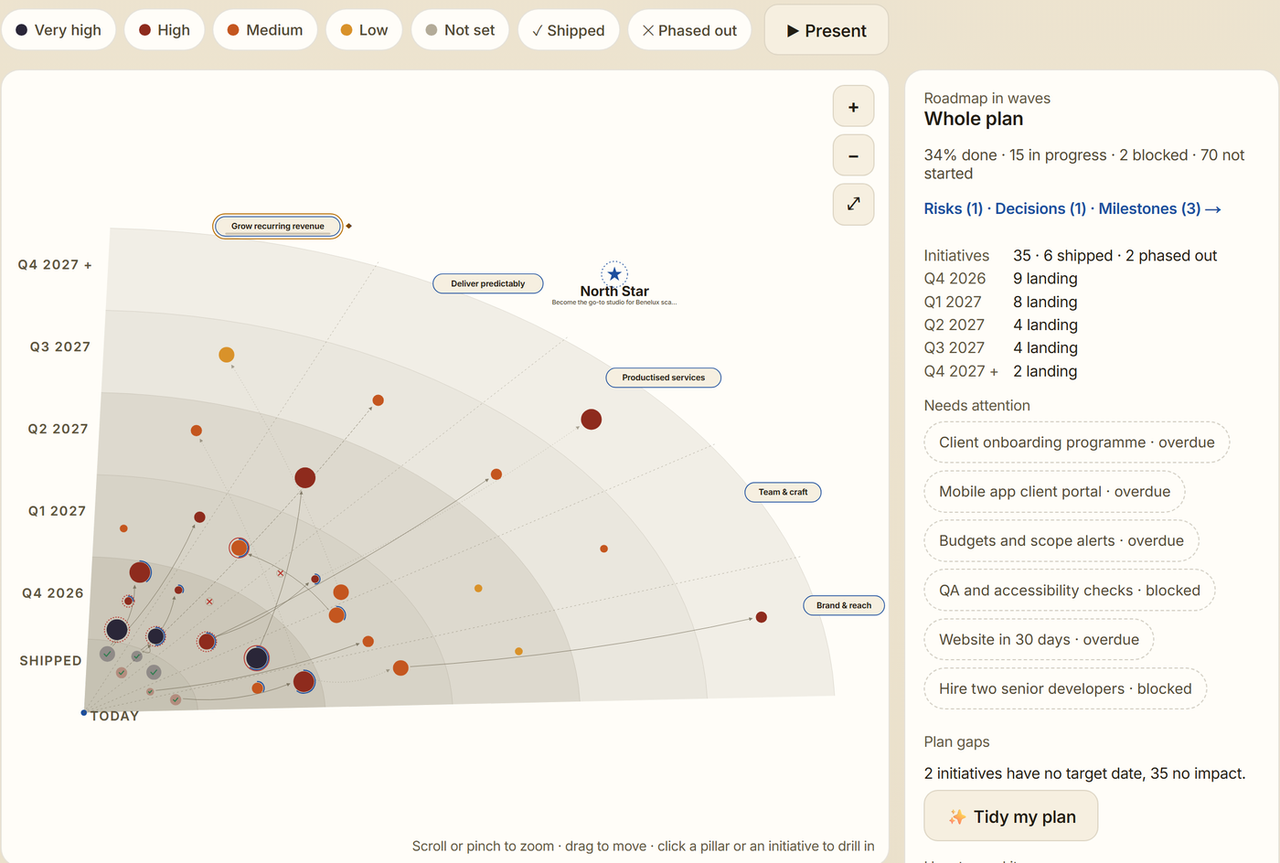
A month of updates, all aimed at one thing: less hunting around, so you see what needs you and get it done. Here's what changed since our last update.
This month at a glance
- A calmer Overview: what needs you first, then your key numbers
- The same simple layout on every page
- Your whole roadmap on one page, in waves
- Everyday task tools in Build: checklists, files, mentions, recurring tasks
- Work with clients inside Build: guests, a request form, automation rules
- Invoices you can follow from sent to paid
A calmer Overview
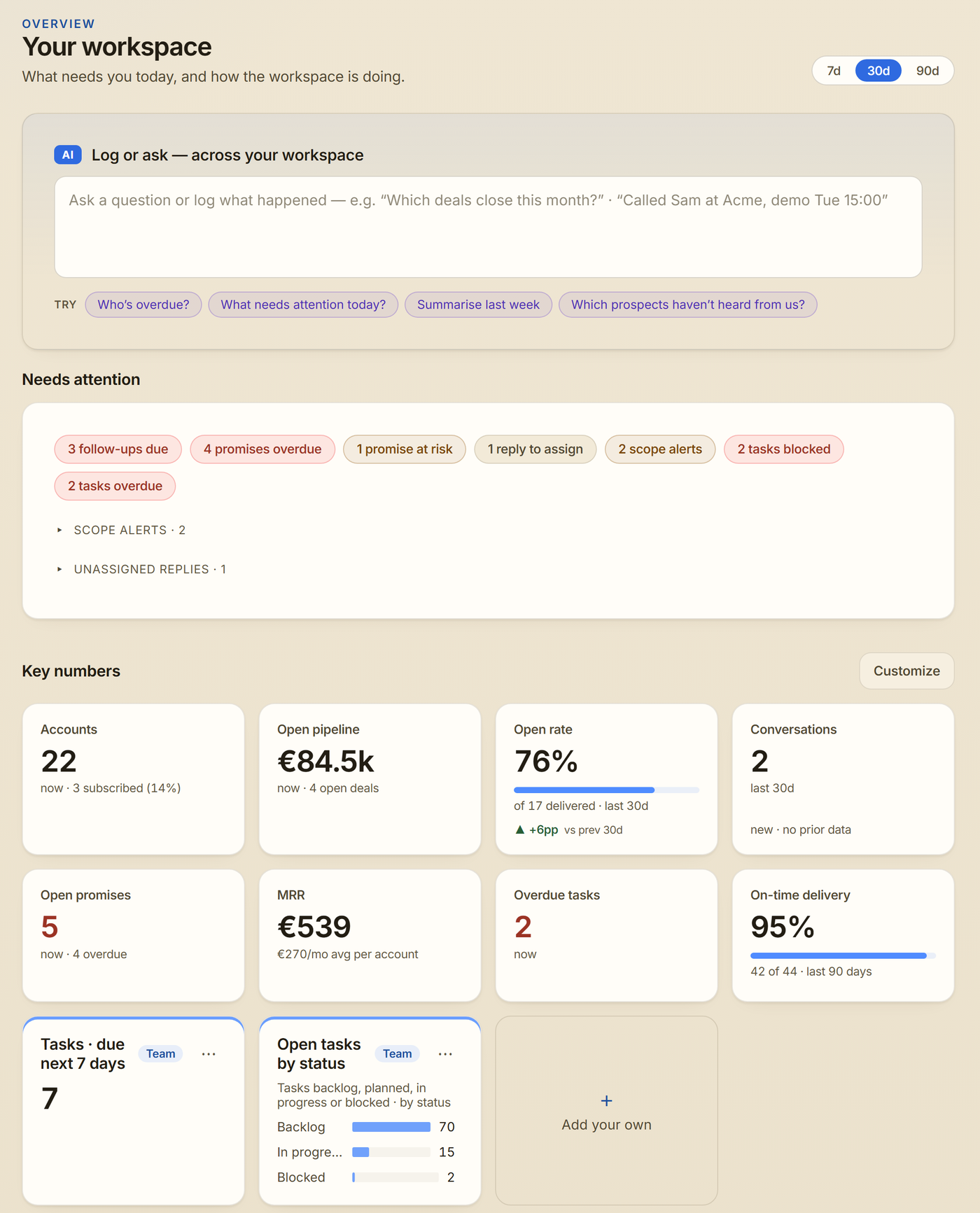
- Needs attention is one list for sales and delivery: follow-ups due, promises overdue or at risk, replies to assign, scope alerts, overdue invoices, and blocked or overdue tasks. The details fold away under each line until you need them.
- Key numbers shows how the workspace is doing in one grid, with the change since the last period. One switch at the top moves everything between 7, 30 and 90 days.
- Admins pick and order the numbers the whole team sees with Customize.
- Ask a question in Log or ask, click Pin this answer, and it becomes a live number of your own. More on Key numbers
Every page, easier to scan
- Every main page now opens the same way: a title, one line on what it's for, one main button and a ⋯ menu for the rest.
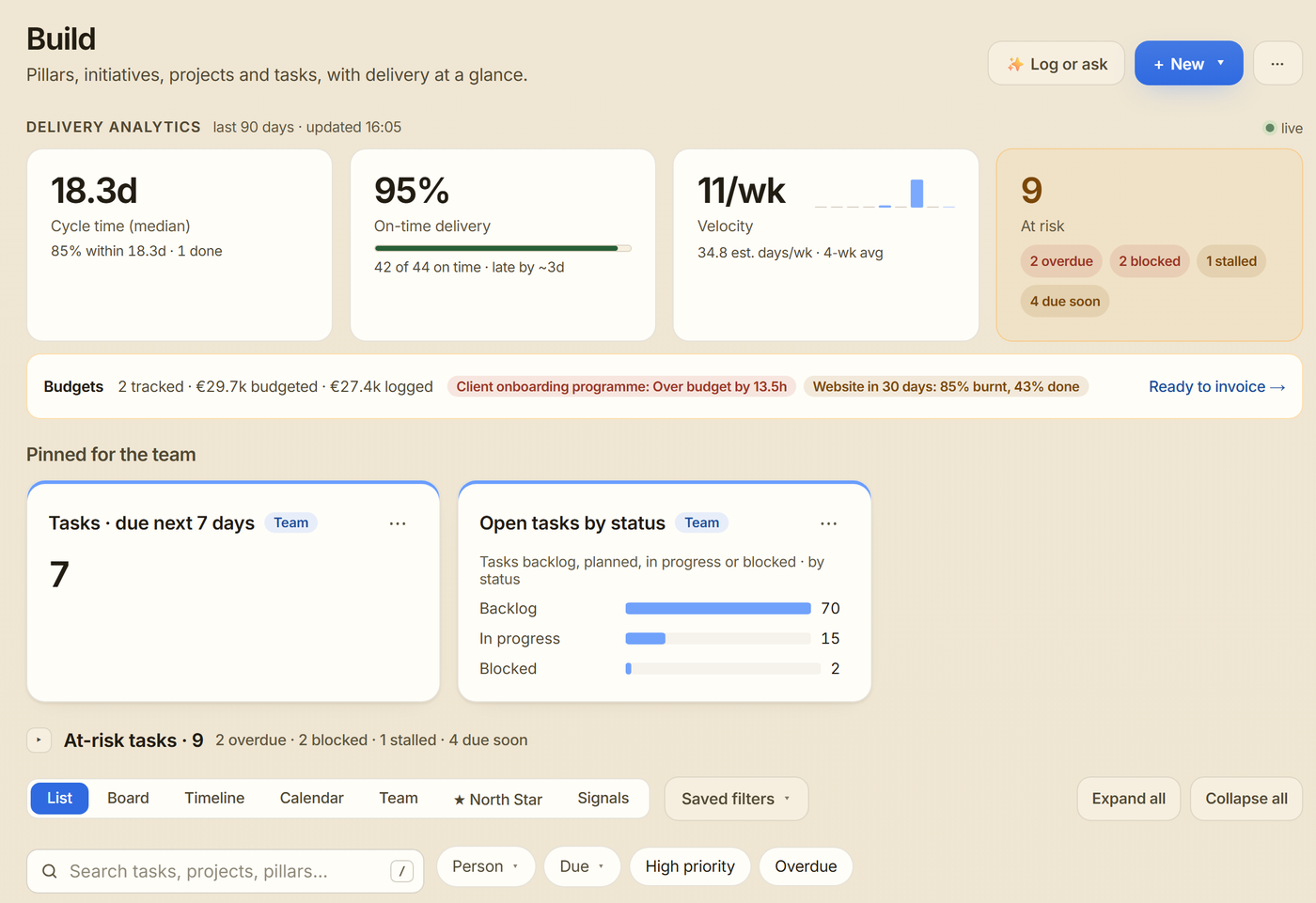
- Build's header has three buttons: Log or ask, New (a pillar, a plan with AI or a template) and ⋯.
- Inbox shows one main button per message, and explanations sit behind a short link instead of filling the page.
- Settings has a new Planning tab for your North Star, roadmap waves and invoice terms.
Your roadmap in waves
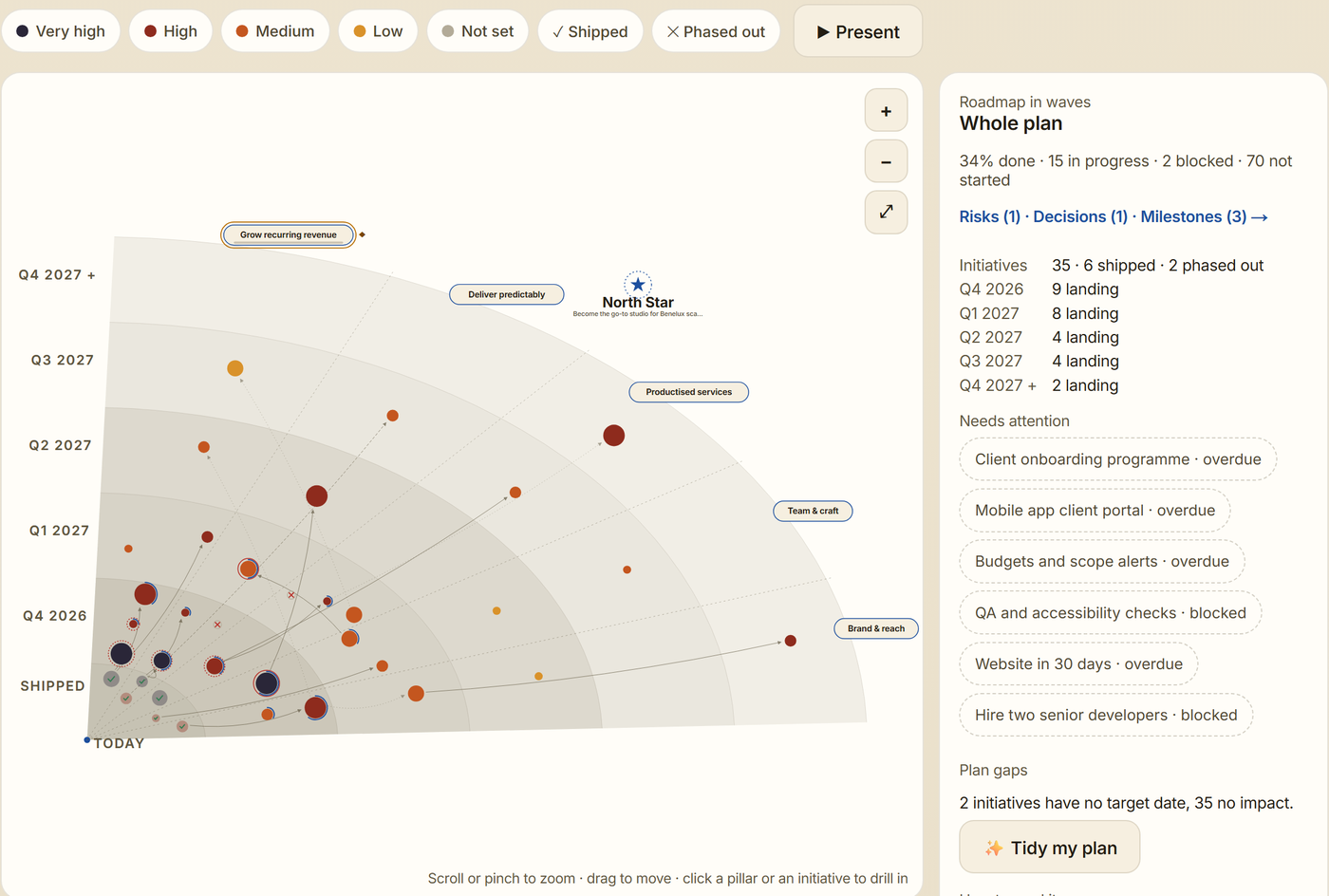
- The North Star view lays your whole roadmap out on one page: one slice per pillar, one ring per quarter, each initiative sized by its impact.
- Give your waves names, and present the roadmap full screen in a meeting.
- Tidy my plan suggests missing priorities, dates and impact; you tick what to apply.
- On a phone you get a clear list with the same filters.
Everyday task tools in Build
- Checklists, file attachments and a full history on every task.
- @mention a teammate in a comment or note, and follow the tasks you care about. A new notification inbox collects it all.
- Recurring tasks come back on schedule.
- A calendar view of tasks, and a private calendar link to see your own tasks in Google Calendar or Outlook.
- Saved filters bring back the filters you use most, for you or the whole team.
- The timeline shows the critical path and your original plan next to the actual one. Moving a task can move what depends on it.
- Templates: save a plan once, then start the next one by typing "start a new client onboarding for Acme on 1 December" in Log or ask. Starter templates help you begin.
- Log or ask now reads your plan project by project, so "set due dates for the backlog tasks in Billing" finds every task.
Work with clients and the team
- Client guests: invite a client by email to follow one project, without seeing the rest of your workspace.
- Private projects are visible only to the people on them.
- A request form per project gives clients a link to send requests that land as tasks.
- Automation rules in plain words: type "when a task in Client website is done, email its client guests" in Log or ask, check the rule and create it.
- Slack channel alerts post finished tasks, won deals and new leads to a channel you choose.
- An ideas board where you suggest and vote on what we build next. Send feedback goes there too.
Money and time
- Invoices on the account: mark work as invoiced and Strybai tracks the due date and payment. Overdue invoices show up in Needs attention for owners and admins.
- Ready to invoice lists billable hours per client and exports them for your accounting tool.
- Import time from Clockify or Toggl Track straight onto your tasks.
- Owners and admins are told when a client request is flagged as outside the agreed scope.
Connect and outreach
- Connect Google Calendar: meetings land on the account's timeline, and outreach pauses when a meeting is booked.
- Personal emails go out at each recipient's own local hour.
- Outreach results count only emails that were delivered, and each reply once.
- Custom fields show in the account list and come in with a CSV import.
- Strybai asks before a new website summary replaces one your team wrote.
Knowledge catalog
- See readers per entry, by country and per day, without cookies, and get a weekly readers email.
- Every topic gets its own page for search engines, and entries get branded covers in feeds.
Safer sign-in
- Turn on two-step sign-in with an authenticator app under Settings → Security.
- Viewers get read-only screens that hide what they can't change.
Try it
Strybai is in early access. Request access at https://app.strybai.com/waitlist