
Templates and plays: start repeat work in seconds
Most work repeats. You onboard a new client the same way each time, run the same monthly retainer, and send the same kind of follow-up. Strybai lets you save these once and start them again in seconds, with the structure kept intact.
Build templates: reusable plans
A Build template is a saved plan. It can create a whole initiative (with its projects and tasks) or a single project (with its tasks). It keeps:
- tasks, checklists and time estimates
- milestones, risks, decisions and key results
- timing: every due date is stored as "day X after the start", so the plan keeps its shape whatever date you start it on
- blanks such as {client}, which are filled in when you start the template
Saving a template. Choose "Save as template" on any initiative or project, or on a plan drafted with "Plan with AI". Finished and cancelled tasks are left out, so the template holds only the steps that matter.
Starting a template. In Build, choose New → From a template, pick one, and choose a start date and a client name. Or type it into Log or ask:
"Start a new client onboarding for Acme on 1 December"
Strybai picks the template, fills in the name and dates, and shows you what it will create before anything is saved. The AI fills in the blanks, but the structure always comes from your template, so every run looks the same.
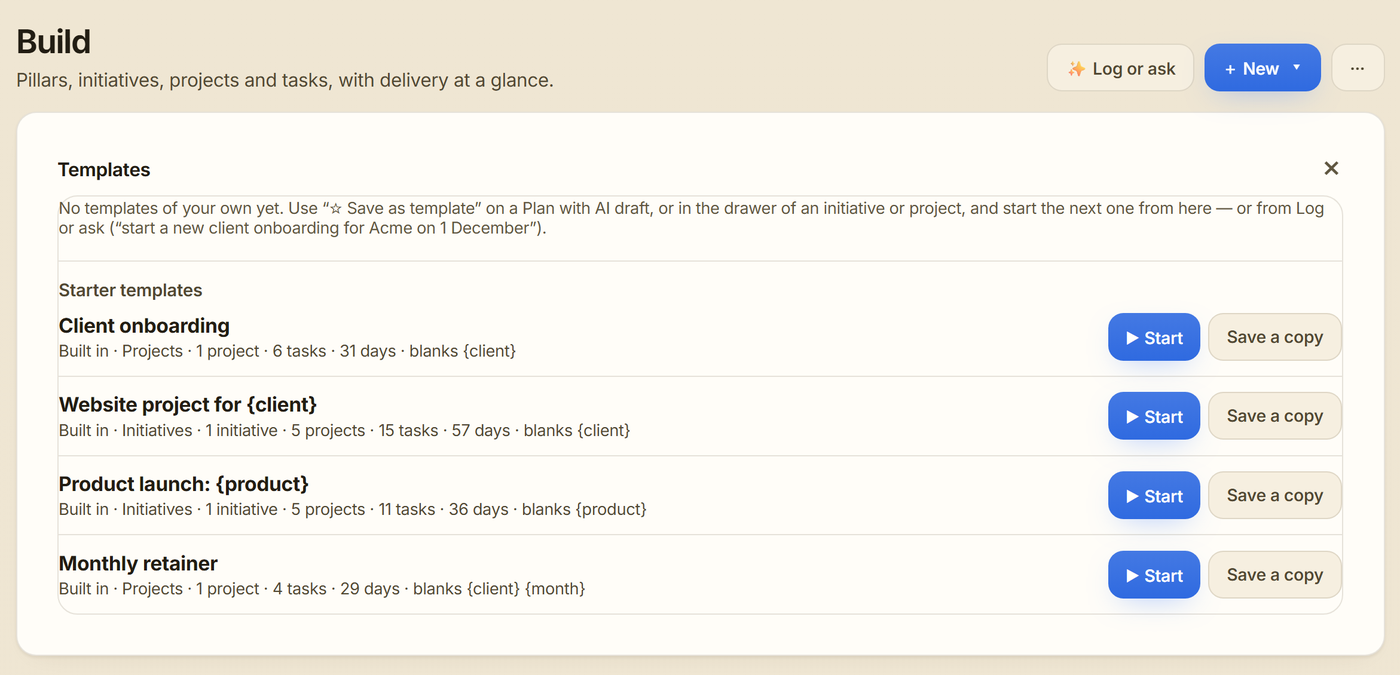
Starter templates. Every workspace comes with four:
- Client onboarding (project): kick-off call, access and accounts, discovery, plan agreed, first delivery, 30-day check-in
- Website project (initiative): discovery, design, build, content, launch
- Product launch (initiative): positioning, launch content, outreach, launch day, follow-up
- Monthly retainer (project): monthly planning, delivery, report, invoice, ready to repeat each month
Starter templates are read-only. Choose "Save a copy" to make one your own and edit it. They don't count against any plan limit.
Who can do what. Everyone in the workspace can see templates. People who can edit can save, start, rename and delete them. Viewers can only look.
Outreach plays: reusable sequences
A play is a reusable outreach sequence: which day each step goes out, guidance for what each step should say, optional variants to test, and a tone.
Starter plays to start from, under Start from a play when you create a sequence:
- Cold intro → demo
- Warm follow-up
- Re-engage dormant
- Trigger / news-based
- Find the decision-maker
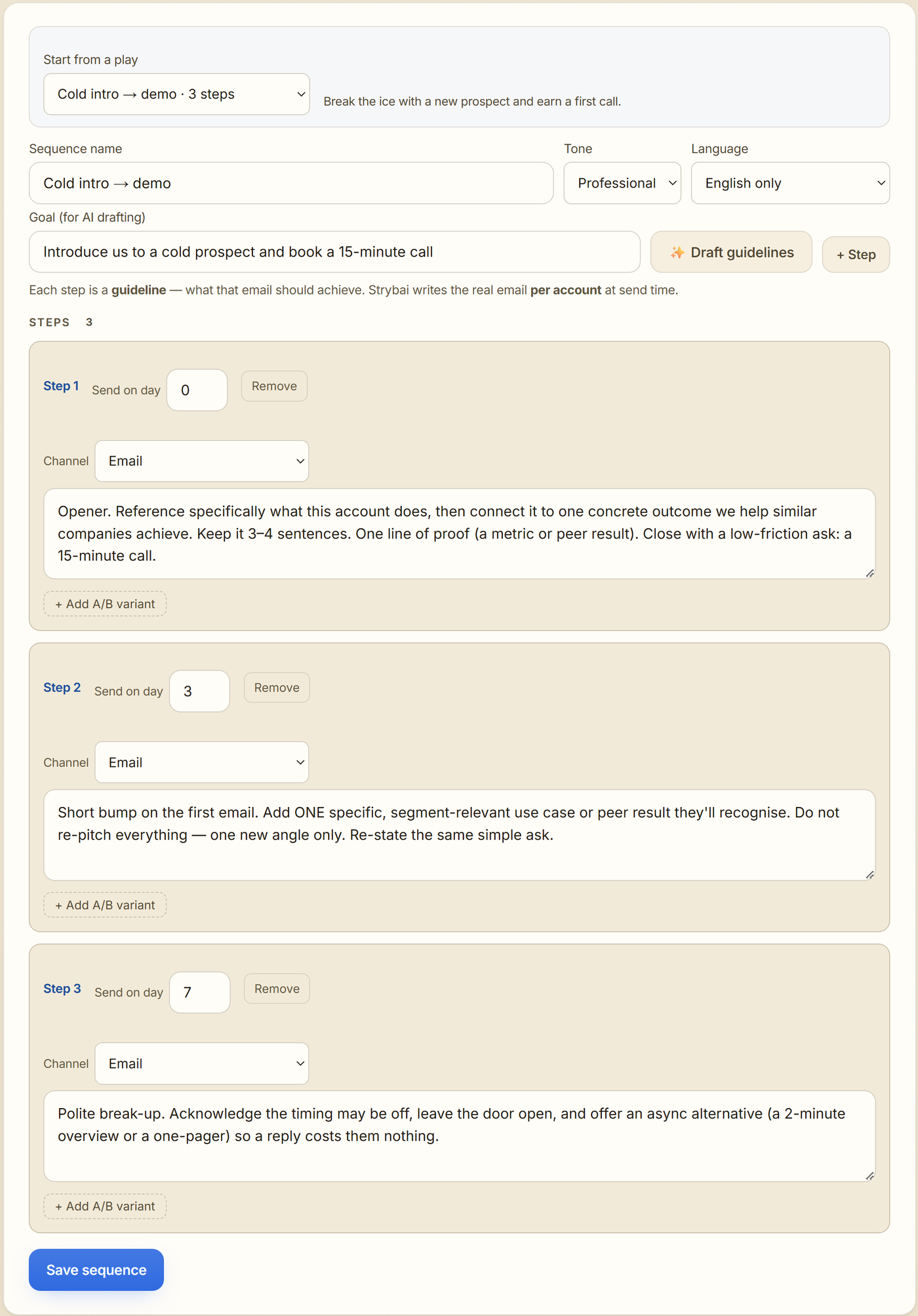
Your own plays. When a sequence works, save it as a play. It appears under "Your saved plays" on the Outreach page, ready for the next campaign, and it doesn't depend on the original sequence.
Personal details. Steps can use blanks like [first name] or {{company}}. Strybai fills them from each contact and account when it sends. LinkedIn steps use the same filled-in text, ready to copy.
When to use which
- A new client signs: start "Client onboarding" for them. Every kick-off has the same agenda and every 30-day check-in is on the calendar.
- Recurring work: start "Monthly retainer" each month, so planning, delivery, reporting and invoicing never slip.
- A project went well: save it as a template so the next one starts from what worked.
- A sequence gets replies: save it as a play so the whole team uses it.
- You're starting from scratch: pick a starter template or a starter play, then adjust it as you go.
Templates and plays turn your best work into the way you work by default, without starting from a blank page.